

The diary in use
The office sees
site updates as they happen.
Your crew adds a photo, a description of the work and their hours on a phone. As soon as they save the entry, you can see it in the project, without waiting for an end-of-day report.
Admin and crew
Every site
within reach.
Choose a project on your phone to see its latest work reports, photos and open tasks. Each team member sees the projects and sections they have access to.
Pod Hájem workshop renovation
Hours and photos
from the site.
A worker fills in a work report on their phone and attaches a photo. In the office, look up any day to see who was on site, what they did and how many hours they recorded.
In-app notifications
A new task for Tereza.
Jan asks Tereza to mark an inspection chamber. The notification under the bell shows who assigned the task, what it is and which site it concerns. From there she opens her task list and reads the full instructions.
Project finances
What has the job cost so far?
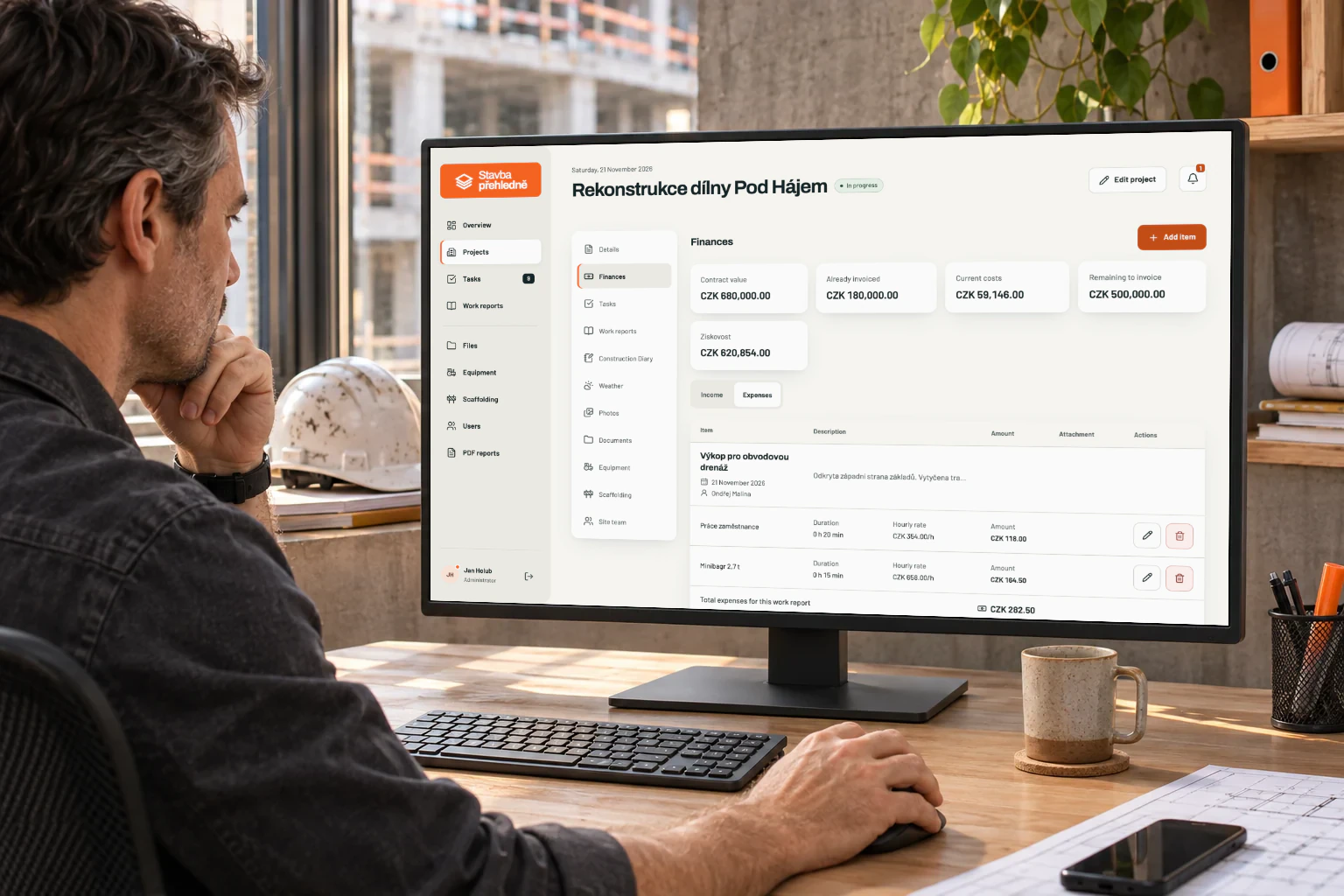
See the contract value alongside recorded income and expenses. Labour and machine hours are costed at the rates you set.
Digital site diary
Ready
for handover.
Keep numbered site diary sheets in Czech. Prepare a sheet and its attachments for external signature, then download the diary as one archive for handover.
When the client calls, you have a photo to show.
Your client asks where the drain runs. Open their project diary on your phone and show them the photo taken before the trench was backfilled. That saves you a trip to the site.
Try the diary on a sample project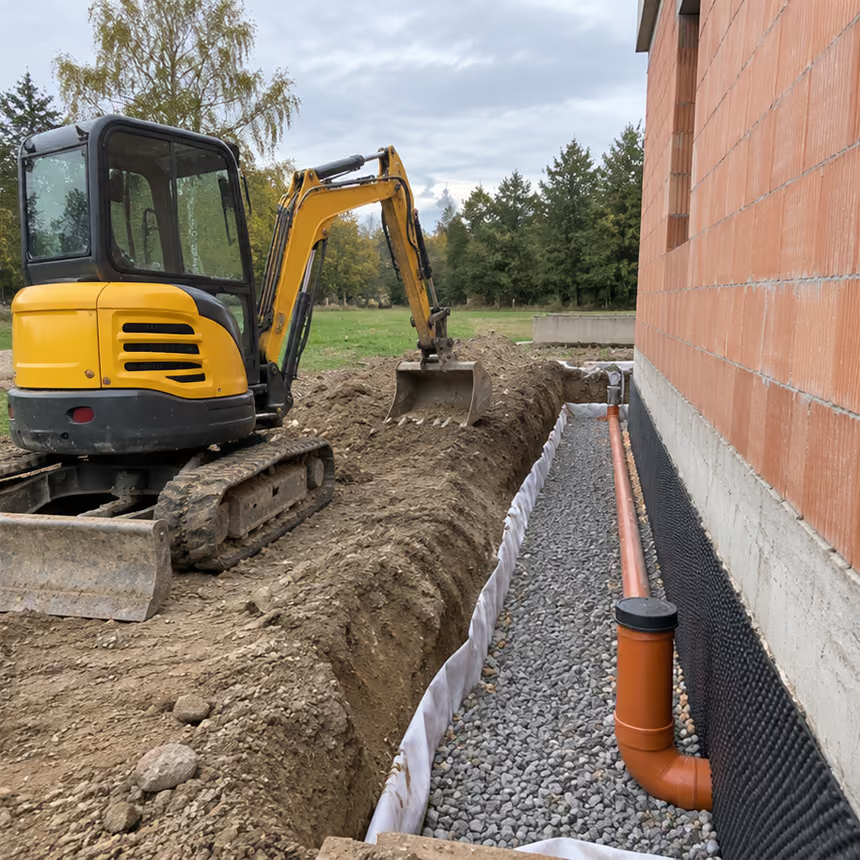 Open the work report with this photo
Timesheets are ready for payroll.
In PDF reports, choose a month and download attendance by person and site, based on the hours your crew recorded.
See what’s left to invoice.
For each project, see what you’ve spent on labour and machinery and how much of the contract value you’ve already invoiced.
More ways to use the diary
- Task assignments
- Assign work to a person or a crew. Each task shows who is responsible, when it is due and what has changed.
- Notifications and reminders
- Workers are notified when they receive a task, and the administrator is notified when it is completed. Enable phone notifications and set a weekday reminder to fill in work reports.See a notification on a phone
- Work reports and attendance
- Each work report links tasks, hours and photos to one project. Logged hours feed into attendance records and, where rates are set, provide the basis for calculating pay.Download a sample timesheet (PDF) From work report to timesheet
- Site team and permissions
- Find colleagues on a project by name. The administrator decides who can view photos and documents, submit work reports or manage tasks.
- PDF reports
- Download attendance, work reports, machine use or scaffolding reports for a selected period. Your accounts team gets the figures without re-entering each day.
- Photos and documentation
- Show the client a dated entry with a photo. Drawings and weather records stay with the project. For handover, download the diary with numbered pages and attachments.
- Machinery and scaffolding
- Track machine hours and calculate scaffolding assembly, dismantling and hire costs using the area and agreed rates.
- Job costs and invoicing
- The contract value is the agreed price for the job. Recorded amounts show what you have invoiced, what you can still invoice and how the project is performing.View project costs

Translation on site
Everyone writes
in their own language.
A crew member describes the work. You read the entry in the language you use in the office and can always go back to the original. Together, we’ll choose the languages your team needs for tasks and work logs.
Prepared translation example
Označte revizní šachtu u vjezdu.
Позначте оглядовий колодязь біля в’їзду.
Колодязь позначено, фото додано.
Šachta je označená, fotka je přiložená.
Time in the office
What are a few
minutes a day worth?
How much time could your team free up by cutting out duplicate timesheet entries and searches for site photos?
Built for your firm
Just what
your team needs.
Does your crew just need to log hours and add a photo? We’ll give them one simple screen. If your company doesn’t use scaffolding, we’ll leave that module out of your diary altogether.
Need extra work signed off before you invoice it? We’ll build that approval step around the way you work. We can also adapt the branding, access rights and reports for your accounts team.
We can deliver smaller changes within a few days. We’ll quote a price and delivery date upfront, based on the features and changes you choose.
Your own demo company
Assign a task
to your demo crew.
Four sites and a team are ready for you. Your password arrives by email. No payment card is needed. Assign a task as an administrator, complete it as a crew member and see what the office sees. Your private demo company is deleted 12 hours after you first sign in.
Try it free for 12 hours